---
title: View Detailed Malware Analysis of an Event
description: "View Detailed Malware Analysis of an Event\nWhen viewing the list of individual events in a Malware Analysis scan in the Malware Analysis Events grid,"
---
[Skip to content](https://mydev.netwitness.com/knowledge-base/viewdetailedmalwareanalysisofanevent#main-content)

- [Home](https://mydev.netwitness.com/home)
- Integrations
Show submenu for Integrations
- [Netwitness Platform Integrations](https://mydev.netwitness.com/netwitnessplatformintegrations)
- [Third Party Integrations](https://mydev.netwitness.com/thirdpartyintegrations)
- [Knowledge Center](https://mydev.netwitness.com/knowledge-base)
- Community
Show submenu for Community
- [Blogs](https://mydev.netwitness.com/netwitness-security-llc-blog)
- Discussions
- Customers
Show submenu for Customers
- [Manage Products and Licenses](https://mydev.netwitness.com/nwportal)
- Downloads
- Partners
Show submenu for Partners
- [Partner Program](https://mydev.netwitness.com/partner)
- [Partner Resources](https://mydev.netwitness.com/partnerresources)
- [Submit a New Deal Registration](https://mydev.netwitness.com/dealregistration)
- [Become a Partner](https://mydev.netwitness.com/becomeapartner)
- [Update Your Partner Locator Profile](https://www.netwitness.com/partner-locator/?utm_source=pardotnewsletter&utm_medium=email&utm_campaign=partner_march)
- [NetWitness LinkedIn Partner Hub](https://linkedin.com/showcase/netwitnesspartners/)
- Education
Show submenu for Education
- [Instructor Led Training Schedule](https://mydev.netwitness.com/instructorledtrainingschedule)
- [NetWitness Training Catalog](https://mydev.netwitness.com/netwitnesstrainingcatalog)
- [Security Awareness Training](https://mydev.netwitness.com/securityawarenesstraining)
- [New Product Readiness](https://mydev.netwitness.com/newproductreadiness)
- [On-Demand Virtual Labs](https://mydev.netwitness.com/ondemandvirtuallabs)
- [Additional Training Information](https://mydev.netwitness.com/additionaltraininginformation)
- [Frequently Asked Questions](https://mydev.netwitness.com/educationfaq)
- [Contact NetWitness Education Team](https://mydev.netwitness.com/contact-netwitness-education-team)
- Support
Show submenu for Support
- [Contact Support](https://mydev.netwitness.com/contact-support)
- [Create a New Case](https://mydev.netwitness.com/create-support-case)
- [View My Cases](https://mydev.netwitness.com/viewmycase)
- [Product Version Life Cycle](https://mydev.netwitness.com/product-version-life-cycle)
- [Warranty & Replacement Parts](https://mydev.netwitness.com/warranty-and-replacement-parts)
- [Community Support Forum](https://mydev.netwitness.com/community-support-forum)
- [Technical Support Guide](https://mydev.netwitness.com/technical-support-guide)
Open main navigation
Close main navigation
- [Home](https://mydev.netwitness.com/home)
- Integrations
Show submenu for Integrations
- [Netwitness Platform Integrations](https://mydev.netwitness.com/netwitnessplatformintegrations)
- [Third Party Integrations](https://mydev.netwitness.com/thirdpartyintegrations)
- [Knowledge Center](https://mydev.netwitness.com/knowledge-base)
- Community
Show submenu for Community
- [Blogs](https://mydev.netwitness.com/netwitness-security-llc-blog)
- Discussions
- Customers
Show submenu for Customers
- [Manage Products and Licenses](https://mydev.netwitness.com/nwportal)
- Downloads
- Partners
Show submenu for Partners
- [Partner Program](https://mydev.netwitness.com/partner)
- [Partner Resources](https://mydev.netwitness.com/partnerresources)
- [Submit a New Deal Registration](https://mydev.netwitness.com/dealregistration)
- [Become a Partner](https://mydev.netwitness.com/becomeapartner)
- [Update Your Partner Locator Profile](https://www.netwitness.com/partner-locator/?utm_source=pardotnewsletter&utm_medium=email&utm_campaign=partner_march)
- [NetWitness LinkedIn Partner Hub](https://linkedin.com/showcase/netwitnesspartners/)
- Education
Show submenu for Education
- [Instructor Led Training Schedule](https://mydev.netwitness.com/instructorledtrainingschedule)
- [NetWitness Training Catalog](https://mydev.netwitness.com/netwitnesstrainingcatalog)
- [Security Awareness Training](https://mydev.netwitness.com/securityawarenesstraining)
- [New Product Readiness](https://mydev.netwitness.com/newproductreadiness)
- [On-Demand Virtual Labs](https://mydev.netwitness.com/ondemandvirtuallabs)
- [Additional Training Information](https://mydev.netwitness.com/additionaltraininginformation)
- [Frequently Asked Questions](https://mydev.netwitness.com/educationfaq)
- [Contact NetWitness Education Team](https://mydev.netwitness.com/contact-netwitness-education-team)
- Support
Show submenu for Support
- [Contact Support](https://mydev.netwitness.com/contact-support)
- [Create a New Case](https://mydev.netwitness.com/create-support-case)
- [View My Cases](https://mydev.netwitness.com/viewmycase)
- [Product Version Life Cycle](https://mydev.netwitness.com/product-version-life-cycle)
- [Warranty & Replacement Parts](https://mydev.netwitness.com/warranty-and-replacement-parts)
- [Community Support Forum](https://mydev.netwitness.com/community-support-forum)
- [Technical Support Guide](https://mydev.netwitness.com/technical-support-guide)
How can we help you?
- There are no suggestions because the search field is empty.
1. [NetWitness Knowledge Base](https://mydev.netwitness.com/knowledge-base?hsLang=en)
2. [Documentation](https://mydev.netwitness.com/knowledge-base/documentation?hsLang=en)
April 28, 2026
# View Detailed Malware Analysis of an Event
## View Detailed Malware Analysis of an Event
When viewing the list of individual events in a Malware Analysis scan in the Malware Analysis Events grid, you can double-click an event to view the detailed analysis results for the event.
## View Malware Analysis Details for an Event
1. Start an investigation in the **Malware Analysis** view.
The Malware Summary of Events is displayed, and includes four charts, including the Event Timeline.
2. Do one of the following:
1. To view all events in the Event Timeline, click the **View Events** button.
2. Double-click data in the **Meta Breakdown**, **Meta Treemap Chart**, or **Score Wheel**.
The Events List is displayed.
3. Double-click an event.
The Analysis Results for the event are displayed.
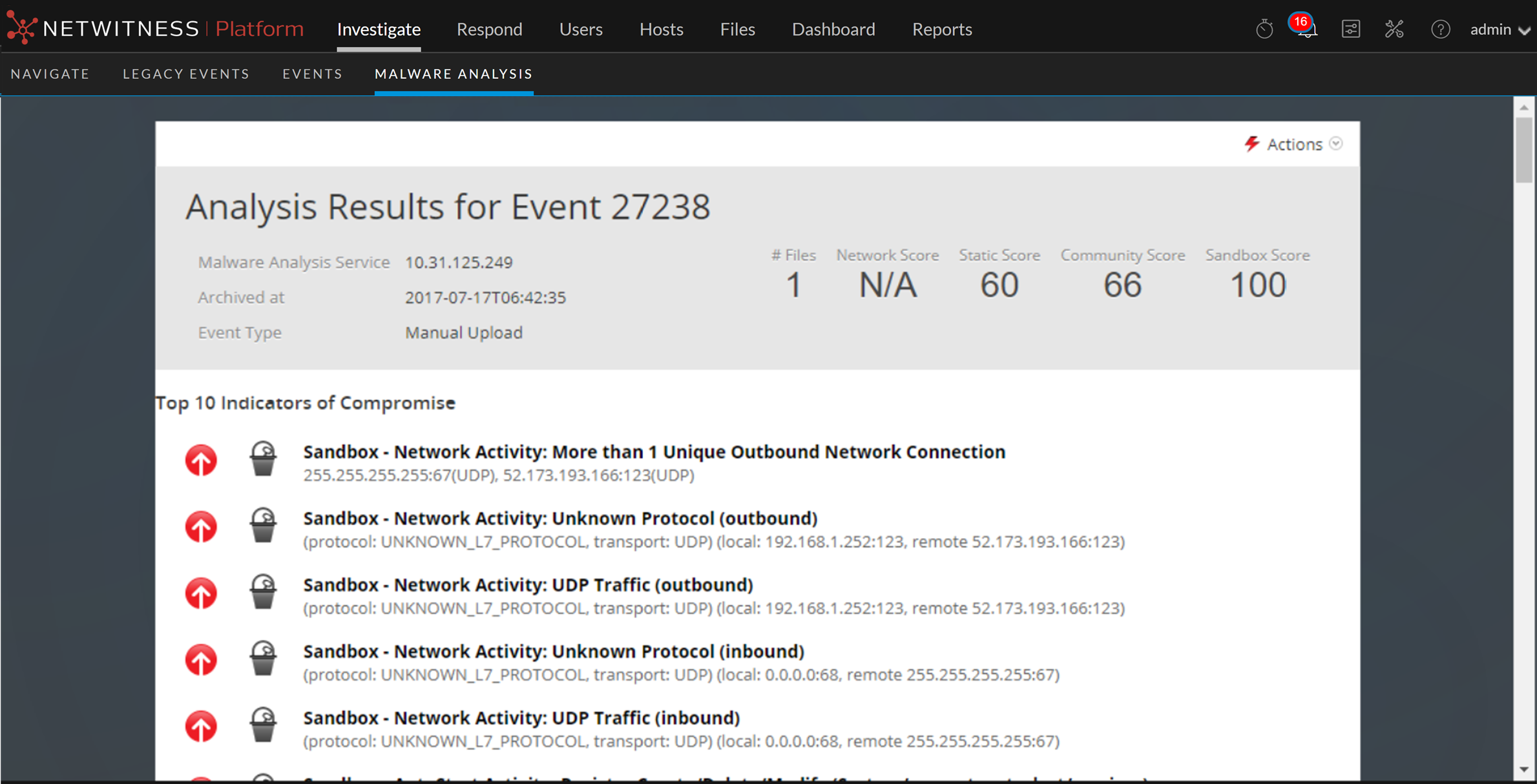
4. (Optional) If you want to delete an event, select **Actions \> Delete Event**.
5. If you want to view a reconstruction of the network session, select **Actions \> View Network Session**.
The session opens in the Navigate view \> Event Reconstruction.
## Pivot Network Analysis Results
You can pivot the Network Analysis Results in several ways:
1. Scroll down to the Network Analysis Results.
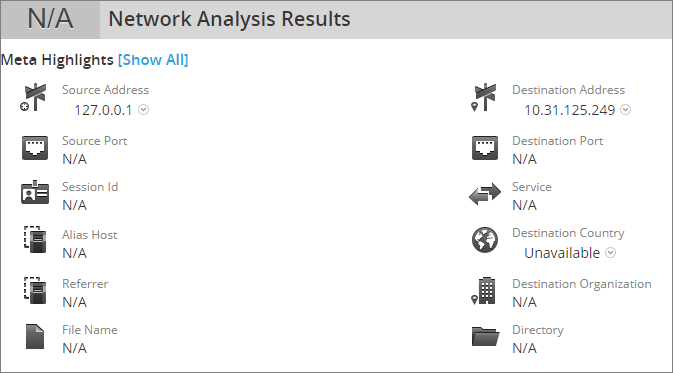
2. Hover over a meta value and left-click.
The context menu is displayed.
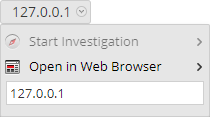
3. To view the selected meta value in the **Navigate** view, select **Start Investigation** and a time option.
4. To view the selected meta value in a browser, select **Open in Web Browser \> Open in Google**.
## Use File Actions in the Static Analysis Results
1. Scroll down to the Static Analysis Results.
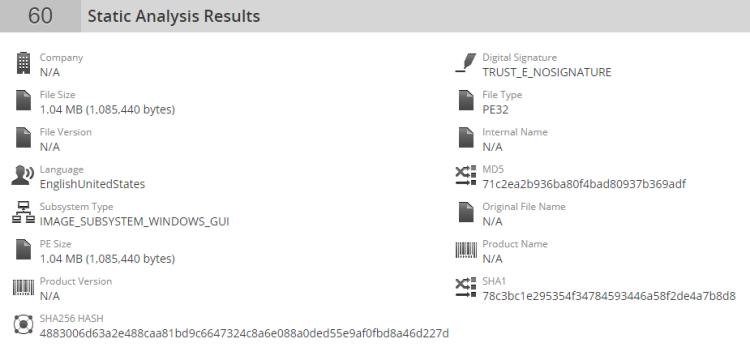
2. If you want to download a file, select the file name and either **Download File (zipped)** or **Download File (natively)** in the drop-down menu. It is safer to download a file in zipped format.
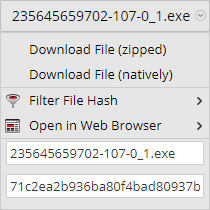
3. If you want to mark the file as safe or unsafe in the hash list, select **Filter File Hash** and **Mark hash as good** or **Mark hash as bad**.
## View Community Analysis Results Details
The Community Analysis Results summarizes results from the community, identifying Indicators of Compromise that were flagged as a risk or identified as good.
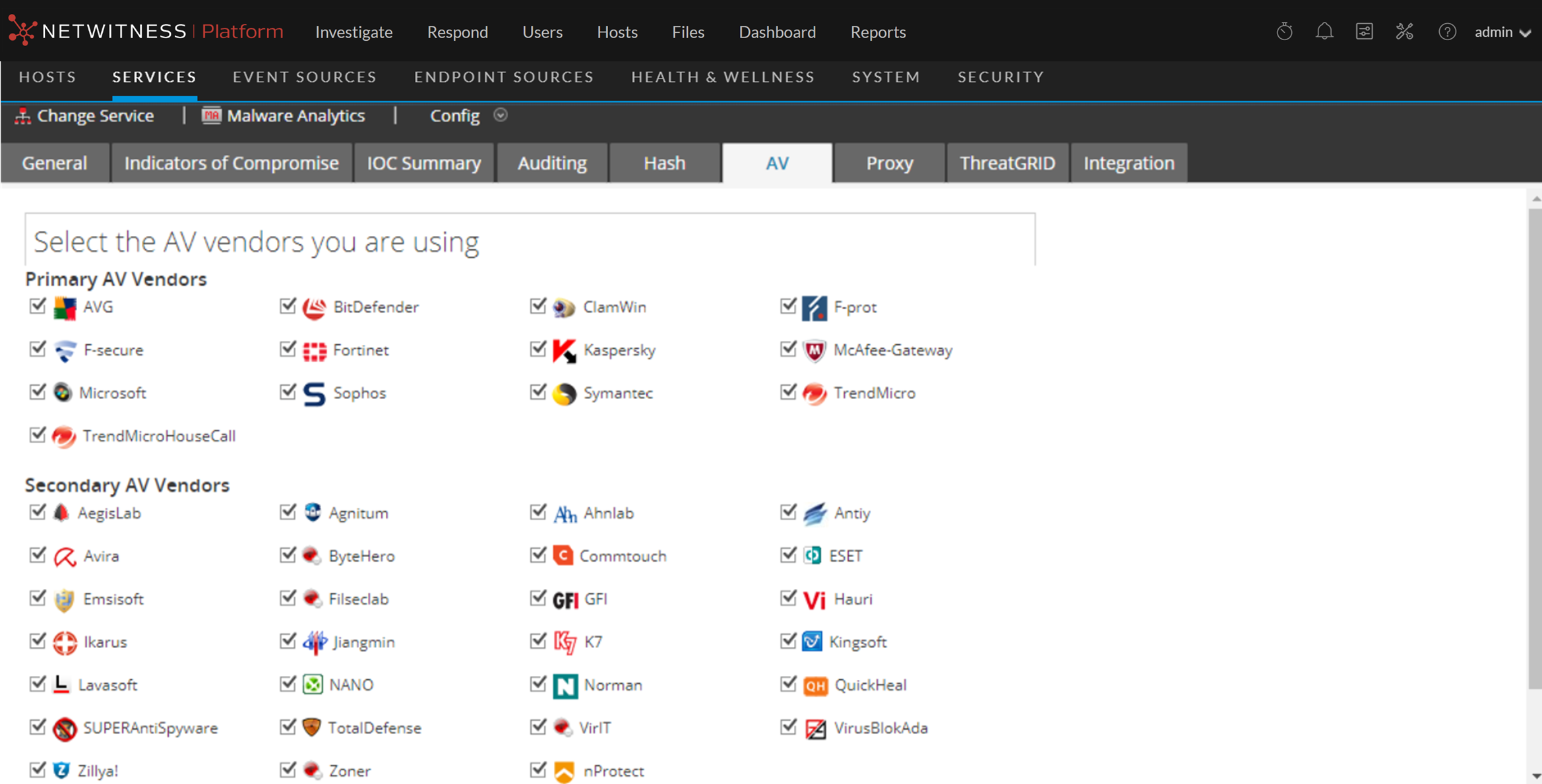
In addition, this view lists the results from Installed AV Vendors and Not Installed AV Vendors. You can compare results of the installed AV vendors that were configured for the current Malware Analysis service versus Community results. You can also see results from a list of AV vendors that are not configured as installed for the current Malware Analysis service.
Each row of AV vendor results includes the shield icon to show whether the IOC was discovered by a Primary () or Secondary AV () vendor in the community, the name of the Installed or Not Installed vendor, and the name of malware or risk detected by the community and AV vendor. If the AV vendor did not detect a risk, **-- Not detected --** is displayed instead of the name of the risk.
The Not Installed AV Vendors section is expandable to view all entries, but is collapsed by default to minimize the need to scroll. Clicking the **+** expands the list.
If no installed AV vendors have been configured for the current Malware Analysis service, the following message is displayed: No AV vendors were marked as installed. Please go to the Malware Analysis Service configuration page to identify installed AV vendors.
## View Sandbox Analysis Results in the ThreatGRID User Interface
If you have registered with ThreatGRID, you can view the Sandbox results directly in ThreatGRID.
1. Scroll down to the Sandbox Analysis Results.
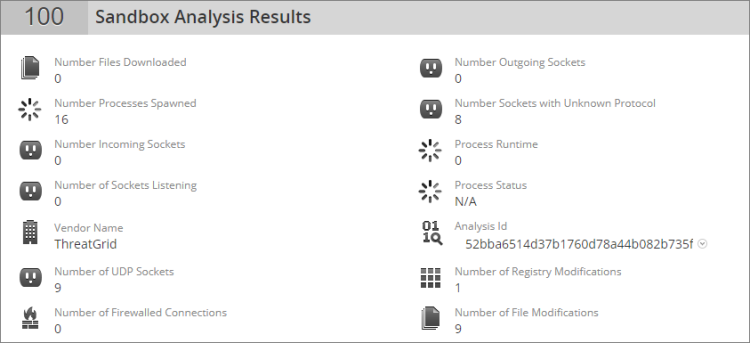
2. Click the **Analysis ID** and select **Open In ThreatGRID**.
The analysis report in ThreatGRID is displayed.
[](https://mydev.netwitness.com/?hsLang=en)
Copyright © 2026, NetWitness LLC. All rights reserved.
[NetWitness Platform](https://www.netwitness.com/)
[Acceptable Use Policy](https://www.netwitness.com/wp-content/uploads/Acceptable-Use-Policy-092022.pdf) [Privacy Statement](https://www.netwitness.com/wp-content/uploads/NetWitness-Privacy-Statement-07292024.pdf)

[](https://www.linkedin.com/company/netwitness-platform/) [](https://www.youtube.com/@netwitness)
© 2026 NetWitness LLC. All rights reserved.