---
title: Subscribing to Resources
description: "Subscribing to Live Resources \nThis describes subscriptions in Live.\nThreats and the corporate landscape change over time. NetWitness periodica"
---
[Skip to content](https://mydev.netwitness.com/knowledge-base/subscribingtoresources#main-content)

- [Home](https://mydev.netwitness.com/home)
- Integrations
Show submenu for Integrations
- [Netwitness Platform Integrations](https://mydev.netwitness.com/netwitnessplatformintegrations)
- [Third Party Integrations](https://mydev.netwitness.com/thirdpartyintegrations)
- [Knowledge Center](https://mydev.netwitness.com/knowledge-base)
- Community
Show submenu for Community
- [Blogs](https://mydev.netwitness.com/netwitness-security-llc-blog)
- Discussions
- Customers
Show submenu for Customers
- [Manage Products and Licenses](https://mydev.netwitness.com/nwportal)
- Downloads
- Partners
Show submenu for Partners
- [Partner Program](https://mydev.netwitness.com/partner)
- [Partner Resources](https://mydev.netwitness.com/partnerresources)
- [Submit a New Deal Registration](https://mydev.netwitness.com/dealregistration)
- [Become a Partner](https://mydev.netwitness.com/becomeapartner)
- [Update Your Partner Locator Profile](https://www.netwitness.com/partner-locator/?utm_source=pardotnewsletter&utm_medium=email&utm_campaign=partner_march)
- [NetWitness LinkedIn Partner Hub](https://linkedin.com/showcase/netwitnesspartners/)
- Education
Show submenu for Education
- [Instructor Led Training Schedule](https://mydev.netwitness.com/instructorledtrainingschedule)
- [NetWitness Training Catalog](https://mydev.netwitness.com/netwitnesstrainingcatalog)
- [Security Awareness Training](https://mydev.netwitness.com/securityawarenesstraining)
- [New Product Readiness](https://mydev.netwitness.com/newproductreadiness)
- [On-Demand Virtual Labs](https://mydev.netwitness.com/ondemandvirtuallabs)
- [Additional Training Information](https://mydev.netwitness.com/additionaltraininginformation)
- [Frequently Asked Questions](https://mydev.netwitness.com/educationfaq)
- [Contact NetWitness Education Team](https://mydev.netwitness.com/contact-netwitness-education-team)
- Support
Show submenu for Support
- [Contact Support](https://mydev.netwitness.com/contact-support)
- [Create a New Case](https://mydev.netwitness.com/create-support-case)
- [View My Cases](https://mydev.netwitness.com/viewmycase)
- [Product Version Life Cycle](https://mydev.netwitness.com/product-version-life-cycle)
- [Warranty & Replacement Parts](https://mydev.netwitness.com/warranty-and-replacement-parts)
- [Community Support Forum](https://mydev.netwitness.com/community-support-forum)
- [Technical Support Guide](https://mydev.netwitness.com/technical-support-guide)
Open main navigation
Close main navigation
- [Home](https://mydev.netwitness.com/home)
- Integrations
Show submenu for Integrations
- [Netwitness Platform Integrations](https://mydev.netwitness.com/netwitnessplatformintegrations)
- [Third Party Integrations](https://mydev.netwitness.com/thirdpartyintegrations)
- [Knowledge Center](https://mydev.netwitness.com/knowledge-base)
- Community
Show submenu for Community
- [Blogs](https://mydev.netwitness.com/netwitness-security-llc-blog)
- Discussions
- Customers
Show submenu for Customers
- [Manage Products and Licenses](https://mydev.netwitness.com/nwportal)
- Downloads
- Partners
Show submenu for Partners
- [Partner Program](https://mydev.netwitness.com/partner)
- [Partner Resources](https://mydev.netwitness.com/partnerresources)
- [Submit a New Deal Registration](https://mydev.netwitness.com/dealregistration)
- [Become a Partner](https://mydev.netwitness.com/becomeapartner)
- [Update Your Partner Locator Profile](https://www.netwitness.com/partner-locator/?utm_source=pardotnewsletter&utm_medium=email&utm_campaign=partner_march)
- [NetWitness LinkedIn Partner Hub](https://linkedin.com/showcase/netwitnesspartners/)
- Education
Show submenu for Education
- [Instructor Led Training Schedule](https://mydev.netwitness.com/instructorledtrainingschedule)
- [NetWitness Training Catalog](https://mydev.netwitness.com/netwitnesstrainingcatalog)
- [Security Awareness Training](https://mydev.netwitness.com/securityawarenesstraining)
- [New Product Readiness](https://mydev.netwitness.com/newproductreadiness)
- [On-Demand Virtual Labs](https://mydev.netwitness.com/ondemandvirtuallabs)
- [Additional Training Information](https://mydev.netwitness.com/additionaltraininginformation)
- [Frequently Asked Questions](https://mydev.netwitness.com/educationfaq)
- [Contact NetWitness Education Team](https://mydev.netwitness.com/contact-netwitness-education-team)
- Support
Show submenu for Support
- [Contact Support](https://mydev.netwitness.com/contact-support)
- [Create a New Case](https://mydev.netwitness.com/create-support-case)
- [View My Cases](https://mydev.netwitness.com/viewmycase)
- [Product Version Life Cycle](https://mydev.netwitness.com/product-version-life-cycle)
- [Warranty & Replacement Parts](https://mydev.netwitness.com/warranty-and-replacement-parts)
- [Community Support Forum](https://mydev.netwitness.com/community-support-forum)
- [Technical Support Guide](https://mydev.netwitness.com/technical-support-guide)
How can we help you?
- There are no suggestions because the search field is empty.
1. [NetWitness Knowledge Base](https://mydev.netwitness.com/knowledge-base?hsLang=en)
2. [Documentation](https://mydev.netwitness.com/knowledge-base/documentation?hsLang=en)
April 27, 2026
# Subscribing to Resources
## Subscribing to Live Resources
This describes subscriptions in Live.
Threats and the corporate landscape change over time. NetWitness periodically reviews existing content to determine whether it needs to be updated based upon current campaigns or has become irrelevant due to changes in technology or attack techniques and tools.
You can discover new content by using the What’s New dashlet within the Default Dashboard, or by searching through NetWitness Live by data range since last deployed. Be sure to subscribe to any content for which you want to receive update notifications.
## Subscription UpdatesSubscription Updates
When you view resources in the Matching Resources panel of the Live Content view, there is a column named **Updated**:
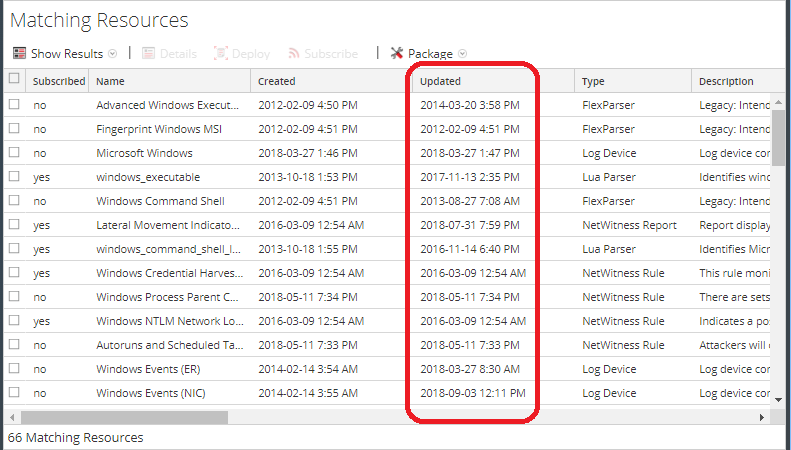
This value is also displayed when you select the detailed view for a resource. Every time a resource changes, its **Updated** value changes to match the specific update. If you are subscribed to a resource, and it gets updated, your system is automatically updated with the latest version, and you receive a notification. You can view your notifications by clicking the Notification icon, , from anywhere in the NetWitness UI.
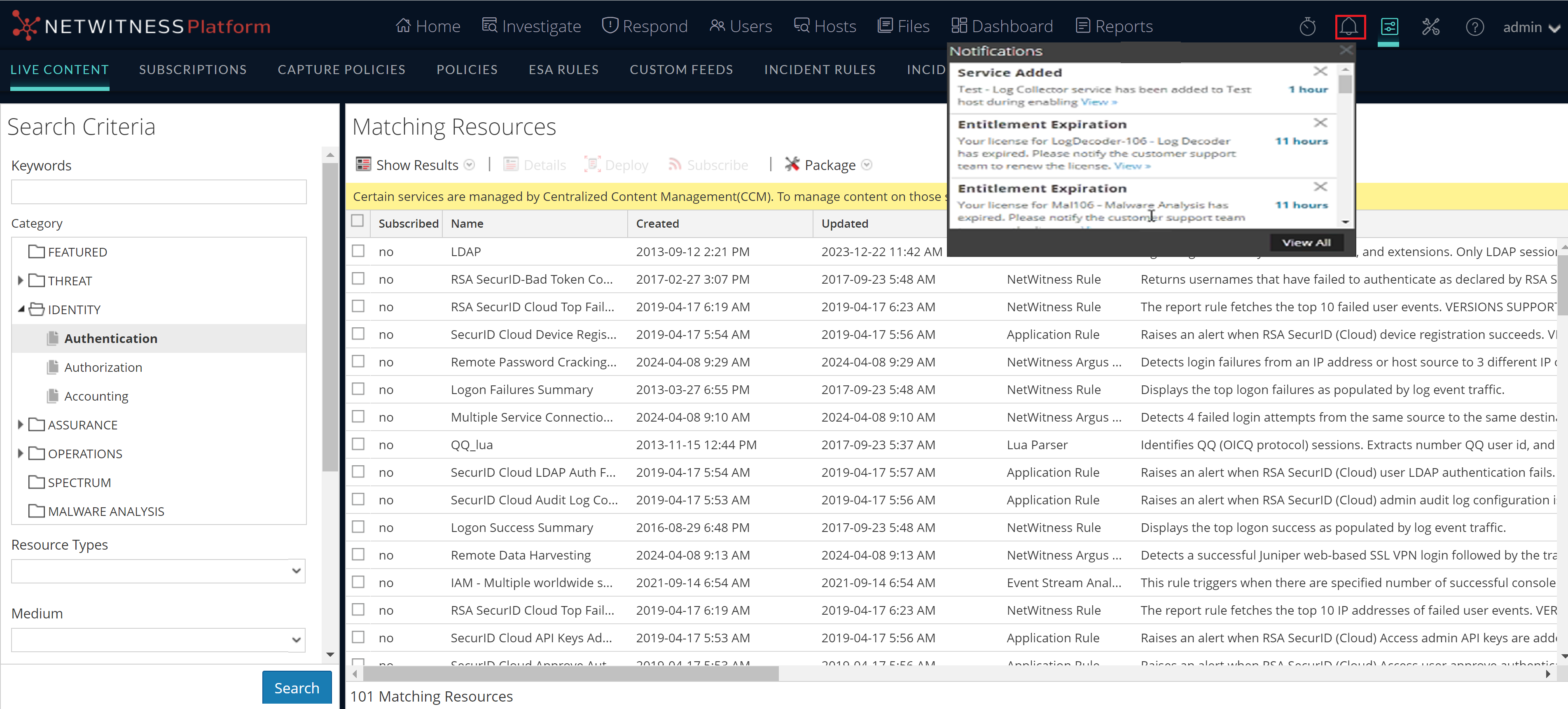
You can also get email notifications when subscribed resources are updated. System Administrators can add email addresses in the ** (Admin) \> SYSTEM \> Live Services** view. For more information, see the "Live Services Configuration Panel" topic in the *System Configuration Guide*.
## Adding Subscribed Resources for Deployment to ServicesAdding Subscribed Resources for Deployment to Services
1. Go to ** (Configure) \> Subscriptions \> Deployments**.
2. In the **Groups** panel, select a group.
Subscribed resources, if any, are listed in the Deployments tab Subscriptions panel.
3. In the **Subscriptions** panel, click .
The Add Subscription dialog, which lists subscriptions available for deployment, is displayed.
4. Select the subscribed resources that you want to deploy to the services group.
5. Click **Save**.
The dialog closes and the subscriptions are added to the listing in the Deployments tab, Subscriptions panel. This stages the resources for deployment at the next synchronization.
6. You can click the Synchronize icon, , to immediately synchronize your changes.
## Deleting a SubscriptionDeleting a Subscription
When you delete a subscription to a resource, deployed instances of the resource are not deleted. The deployed resource remains on services until explicitly removed, but the resource is no longer synchronized with the resource in NetWitness Live.
To delete a subscription:
1. Go to ** (Configure) \> Subscriptions**.
2. In the **Subscriptions** tab, select the subscriptions you want to delete.
3. Click , then choose **Delete** to delete your selected resources or **Delete All** delete all subscriptions.
A dialog asks for confirmation that you want to delete the subscription.
4. To confirm removal, click **Yes**.
Your selected subscriptions are deleted from the subscriptions list, but any deployed instances of the subscribed resource remain on the services.
## Removing Subscribed Resources from the Deployments Subscriptions GridRemoving Subscribed Resources from the Deployments Subscriptions Grid
Subscriptions that are selected for deployment to a service group are deployed during synchronization. You can remove subscriptions from the Live  (Configure) \> Subscriptions \> Deployments panel, but any that have actually been deployed to services remain deployed until someone removes them.
To remove resources from the Deployments tab Subscriptions panel:
1. Go to ** (Configure) \> Subscriptions \> Deployments**
2. In the **Groups** panel, select a group.
Subscribed resources, if any, are listed in the Subscriptions panel.
3. In the Subscriptions panel, click .
A dialog requests confirmation that you want to delete the resource from the service group. The resource is removed from the Deployments tab Subscriptions panel, but is not removed from services on which it is deployed.
## Subscribe and Unsubscribe to a ResourceSubscribe and Unsubscribe to a Resource
When you subscribe to resources, you will receive notification when new versions of the resources are available.
To subscribe to a resource:
1. Go to ** (Configure) \> Live Content**.
2. In the **Search Criteria** panel, specify search criteria and click **Search**.
3. Select one or more resources and click .
A confirmation dialog is displayed: **By subscribing to these resources, you are indicating that you wish to receive notification when new versions are available.**
4. To confirm that you want to subscribe to the resource, click **OK**.
The resource is added to the subscriptions managed in the Subscriptions tab and is available for deployment in the Deployments tab.
When unsubscribing from a resource, you have the option to leave the resource on services on which it is deployed or to remove it from services.
To unsubscribe from a resource:
1. Open a detailed view of a resource in one of the following ways:
- Perform a search, ** (Configure) \> Live Content** \> enter search criteria, then select the resource in the Matching Resources panel, then click .
- View subscriptions, ** (Configure) \> Subscriptions**, select the resource from the Subscriptions list, then click .
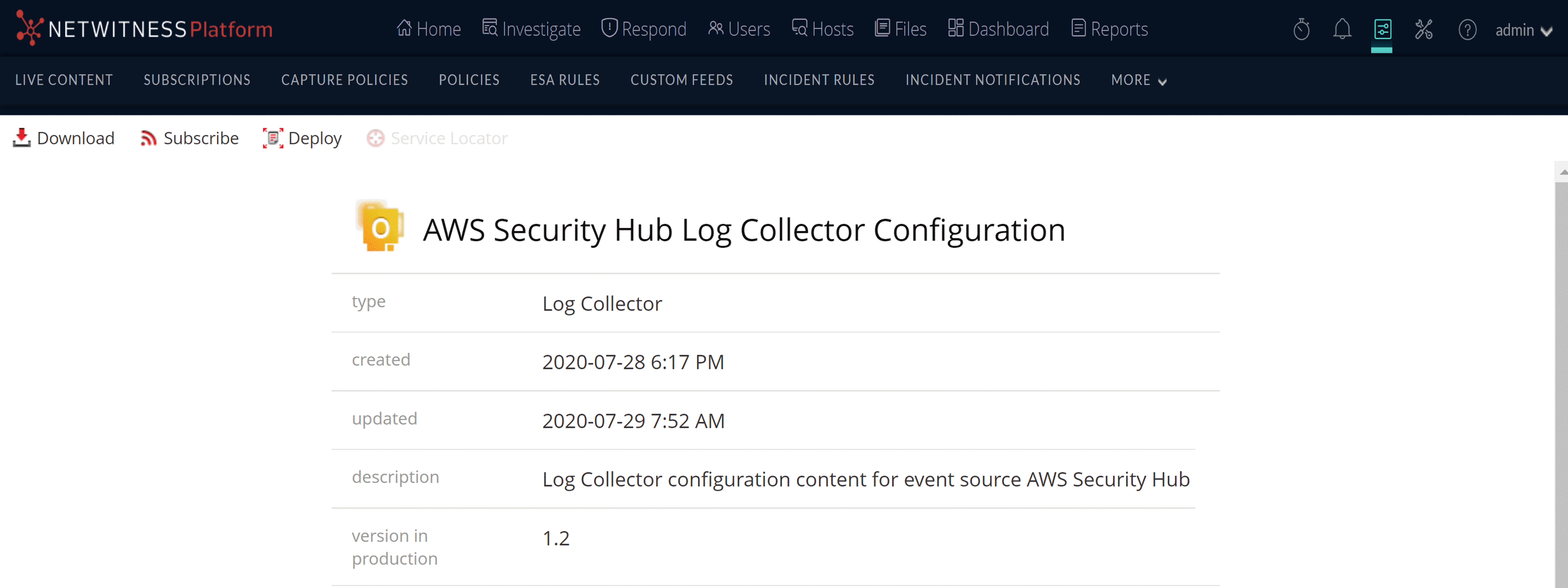
2. With the detailed view of a resource displayed. click .
A confirmation dialog is displayed.
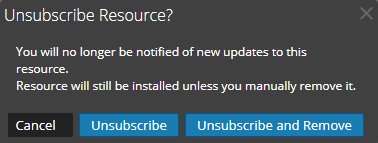
3. Do one of the following:
- To confirm that you want to unsubscribe from the resource and leave it on the services where it is deployed, click **Unsubscribe**.
- To confirm that you want to unsubscribe from the resource and remove it from the services where it is deployed, click **Unsubscribe and Remove from Services**.
- To close the dialog without unsubscribing, click **Cancel**.
The selected action is applied.
## Viewing Subscribed Resources Selected to Deploy on ServicesViewing Subscribed Resources Selected to Deploy on Services
In the ** (Configure) \> Subscriptions \> Deployments** tab you can view subscribed resources that have been selected for deployment on services.
To view subscribed resources that have been selected for deployment on services:
- In the **Groups** panel, select a group, and expand it to view services in the group. The resource subscriptions selected for deployment are listed in the Deployments tab Subscriptions panel.
[](https://mydev.netwitness.com/?hsLang=en)
Copyright © 2026, NetWitness LLC. All rights reserved.
[NetWitness Platform](https://www.netwitness.com/)
[Acceptable Use Policy](https://www.netwitness.com/wp-content/uploads/Acceptable-Use-Policy-092022.pdf) [Privacy Statement](https://www.netwitness.com/wp-content/uploads/NetWitness-Privacy-Statement-07292024.pdf)

[](https://www.linkedin.com/company/netwitness-platform/) [](https://www.youtube.com/@netwitness)
© 2026 NetWitness LLC. All rights reserved.