---
title: Configure NTP Servers
description: "Configure NTP Servers\nThis topic provides instructions on how to configure Network Time Protocol (NTP) servers. NTP is a protocol designed to synchro"
---
[Skip to content](https://mydev.netwitness.com/knowledge-base/configurentpservers#main-content)

- [Home](https://mydev.netwitness.com/home)
- Integrations
Show submenu for Integrations
- [Netwitness Platform Integrations](https://mydev.netwitness.com/netwitnessplatformintegrations)
- [Third Party Integrations](https://mydev.netwitness.com/thirdpartyintegrations)
- [Knowledge Center](https://mydev.netwitness.com/knowledge-base)
- Community
Show submenu for Community
- [Blogs](https://mydev.netwitness.com/netwitness-security-llc-blog)
- Discussions
- Customers
Show submenu for Customers
- [Manage Products and Licenses](https://mydev.netwitness.com/nwportal)
- Downloads
- Partners
Show submenu for Partners
- [Partner Program](https://mydev.netwitness.com/partner)
- [Partner Resources](https://mydev.netwitness.com/partnerresources)
- [Submit a New Deal Registration](https://mydev.netwitness.com/dealregistration)
- [Become a Partner](https://mydev.netwitness.com/becomeapartner)
- [Update Your Partner Locator Profile](https://www.netwitness.com/partner-locator/?utm_source=pardotnewsletter&utm_medium=email&utm_campaign=partner_march)
- [NetWitness LinkedIn Partner Hub](https://linkedin.com/showcase/netwitnesspartners/)
- Education
Show submenu for Education
- [Instructor Led Training Schedule](https://mydev.netwitness.com/instructorledtrainingschedule)
- [NetWitness Training Catalog](https://mydev.netwitness.com/netwitnesstrainingcatalog)
- [Security Awareness Training](https://mydev.netwitness.com/securityawarenesstraining)
- [New Product Readiness](https://mydev.netwitness.com/newproductreadiness)
- [On-Demand Virtual Labs](https://mydev.netwitness.com/ondemandvirtuallabs)
- [Additional Training Information](https://mydev.netwitness.com/additionaltraininginformation)
- [Frequently Asked Questions](https://mydev.netwitness.com/educationfaq)
- [Contact NetWitness Education Team](https://mydev.netwitness.com/contact-netwitness-education-team)
- Support
Show submenu for Support
- [Contact Support](https://mydev.netwitness.com/contact-support)
- [Create a New Case](https://mydev.netwitness.com/create-support-case)
- [View My Cases](https://mydev.netwitness.com/viewmycase)
- [Product Version Life Cycle](https://mydev.netwitness.com/product-version-life-cycle)
- [Warranty & Replacement Parts](https://mydev.netwitness.com/warranty-and-replacement-parts)
- [Community Support Forum](https://mydev.netwitness.com/community-support-forum)
- [Technical Support Guide](https://mydev.netwitness.com/technical-support-guide)
Open main navigation
Close main navigation
- [Home](https://mydev.netwitness.com/home)
- Integrations
Show submenu for Integrations
- [Netwitness Platform Integrations](https://mydev.netwitness.com/netwitnessplatformintegrations)
- [Third Party Integrations](https://mydev.netwitness.com/thirdpartyintegrations)
- [Knowledge Center](https://mydev.netwitness.com/knowledge-base)
- Community
Show submenu for Community
- [Blogs](https://mydev.netwitness.com/netwitness-security-llc-blog)
- Discussions
- Customers
Show submenu for Customers
- [Manage Products and Licenses](https://mydev.netwitness.com/nwportal)
- Downloads
- Partners
Show submenu for Partners
- [Partner Program](https://mydev.netwitness.com/partner)
- [Partner Resources](https://mydev.netwitness.com/partnerresources)
- [Submit a New Deal Registration](https://mydev.netwitness.com/dealregistration)
- [Become a Partner](https://mydev.netwitness.com/becomeapartner)
- [Update Your Partner Locator Profile](https://www.netwitness.com/partner-locator/?utm_source=pardotnewsletter&utm_medium=email&utm_campaign=partner_march)
- [NetWitness LinkedIn Partner Hub](https://linkedin.com/showcase/netwitnesspartners/)
- Education
Show submenu for Education
- [Instructor Led Training Schedule](https://mydev.netwitness.com/instructorledtrainingschedule)
- [NetWitness Training Catalog](https://mydev.netwitness.com/netwitnesstrainingcatalog)
- [Security Awareness Training](https://mydev.netwitness.com/securityawarenesstraining)
- [New Product Readiness](https://mydev.netwitness.com/newproductreadiness)
- [On-Demand Virtual Labs](https://mydev.netwitness.com/ondemandvirtuallabs)
- [Additional Training Information](https://mydev.netwitness.com/additionaltraininginformation)
- [Frequently Asked Questions](https://mydev.netwitness.com/educationfaq)
- [Contact NetWitness Education Team](https://mydev.netwitness.com/contact-netwitness-education-team)
- Support
Show submenu for Support
- [Contact Support](https://mydev.netwitness.com/contact-support)
- [Create a New Case](https://mydev.netwitness.com/create-support-case)
- [View My Cases](https://mydev.netwitness.com/viewmycase)
- [Product Version Life Cycle](https://mydev.netwitness.com/product-version-life-cycle)
- [Warranty & Replacement Parts](https://mydev.netwitness.com/warranty-and-replacement-parts)
- [Community Support Forum](https://mydev.netwitness.com/community-support-forum)
- [Technical Support Guide](https://mydev.netwitness.com/technical-support-guide)
How can we help you?
- There are no suggestions because the search field is empty.
1. [NetWitness Knowledge Base](https://mydev.netwitness.com/knowledge-base?hsLang=en)
2. [Documentation](https://mydev.netwitness.com/knowledge-base/documentation?hsLang=en)
April 28, 2026
# Configure NTP Servers
## Configure NTP Servers
This topic provides instructions on how to configure Network Time Protocol (NTP) servers. NTP is a protocol designed to synchronize host machine clocks over a network. For more information on NTP go to their home page ([http://www.ntp.org/](http://www.ntp.org/)).
**Note:** NetWitness Server Core hosts must be able to communicate with the NetWitness Server host with UDP port 123 for NTP time synchronization.
You use the ** (Admin)** \> **System** \> **NTP Settings** view to configure one or more NTP servers. After you configure an NTP server, NetWitness uses NTP to synchronize the host machine clocks. You configure multiple NTP servers for Fail Over purposes. This topic contains the following procedures:
- Add an NTP Server
- Modify an NTP Server
## Add an NTP Server
To add an NTP server:
1. Go to ** (Admin) \> System**.
2. In the options panel, select **NTP Settings**.
The NTP Settings panel is displayed prompting you to enter the hostname (that is, the IP Address or FQDN) of an NTP server.
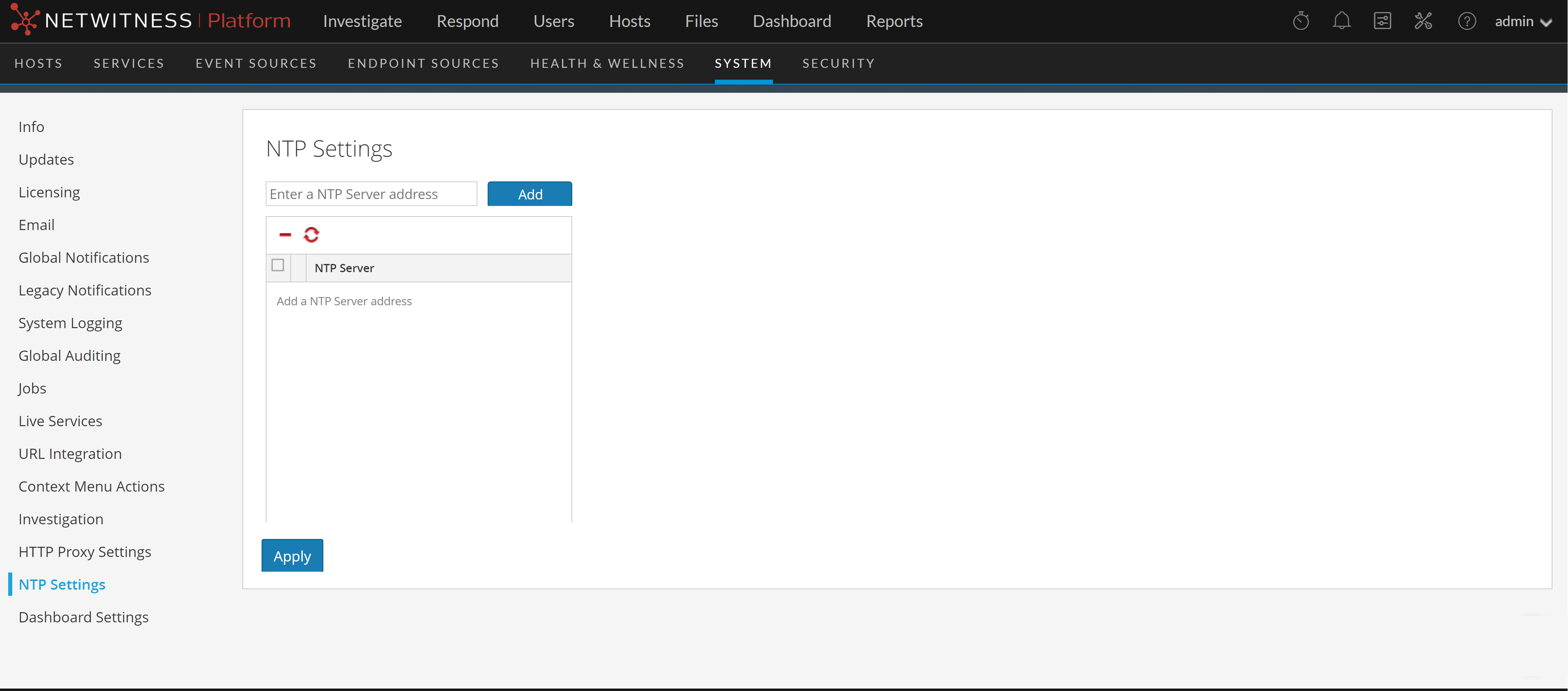
3. Enter the IP address or FQDN for an NTP server.
If the hostname syntax is invalid, NetWitness disables the **Add** and **Apply** buttons and displays **Entered an invalid hostname**.
4. Click **Add**.
- If the hostname syntax is valid and NetWitness can reach the server, it displays **Validating**.
- If the hostname syntax is valid and NetWitness cannot reach a server, the following is displayed, where ***hostname*** is the hostname that you attempted to add: **The NTP server *hostname* is unreachable. Please verify the address or check your firewall settings.**
1. Click **Apply**.
A dialog displays notification that the settings have been saved and requests confirmation that you want to apply the settings now.
2. Click **Yes**.
The NTP server specified now ensures that your host machine clocks are synchronized. If you decide to configure multiple NTP servers and a server is down, NetWitness will fail over to next server configured.
For details of the parameters and descriptions, see [NTP Settings Panel](https://50269063.hs-sites.com/knowledge-base/NTPSettingsPanel?hsLang=en).
## Modify an NTP Server
To modify an existing NTP server:
1. Go to ** (Admin) \> System**.
2. In the options panel, select **NTP Settings**.
The NTP Setting panel is displayed.
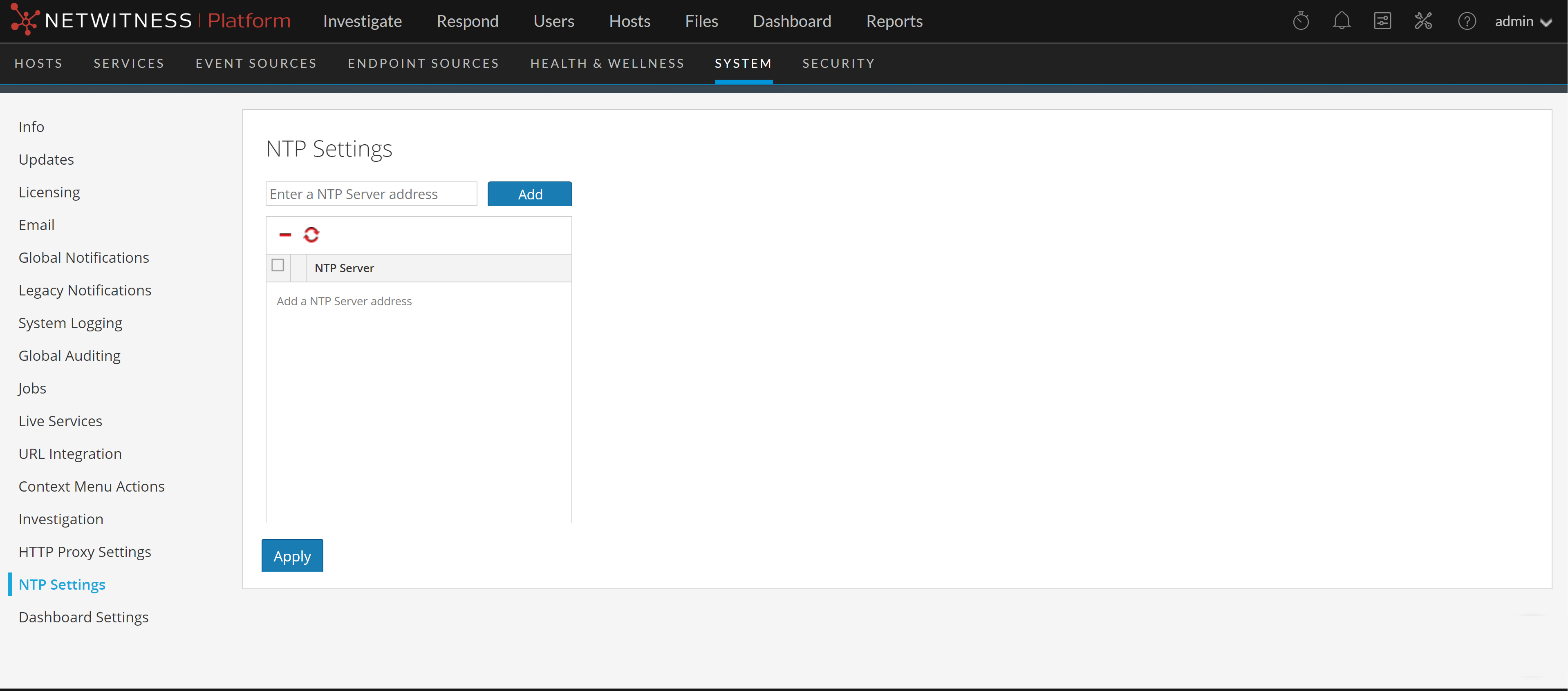
3. Double-click the **NTP Server** hostname that you want to modify.
The NTP Server textbox becomes editable and the Update and Cancel buttons are displayed.
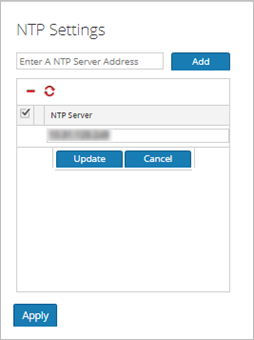
4. Edit the hostname, click **Update**, and click **Apply.** (click **Cancel** before you click **Apply** to cancel the edit.)
NetWitness changes the hostname according to your edits.
[](https://mydev.netwitness.com/?hsLang=en)
Copyright © 2026, NetWitness LLC. All rights reserved.
[NetWitness Platform](https://www.netwitness.com/)
[Acceptable Use Policy](https://www.netwitness.com/wp-content/uploads/Acceptable-Use-Policy-092022.pdf) [Privacy Statement](https://www.netwitness.com/wp-content/uploads/NetWitness-Privacy-Statement-07292024.pdf)

[](https://www.linkedin.com/company/netwitness-platform/) [](https://www.youtube.com/@netwitness)
© 2026 NetWitness LLC. All rights reserved.