---
title: Configure a Stream
description: "Configure a Stream\nYou can configure the data stream to define the data source and destination combinations.\nMake sure that you have:\nInstalled the W"
---
[Skip to content](https://mydev.netwitness.com/knowledge-base/configureastream#main-content)

- [Home](https://mydev.netwitness.com/home)
- Integrations
Show submenu for Integrations
- [Netwitness Platform Integrations](https://mydev.netwitness.com/netwitnessplatformintegrations)
- [Third Party Integrations](https://mydev.netwitness.com/thirdpartyintegrations)
- [Knowledge Center](https://mydev.netwitness.com/knowledge-base)
- Community
Show submenu for Community
- [Blogs](https://mydev.netwitness.com/netwitness-security-llc-blog)
- Discussions
- Customers
Show submenu for Customers
- [Manage Products and Licenses](https://mydev.netwitness.com/nwportal)
- Downloads
- Partners
Show submenu for Partners
- [Partner Program](https://mydev.netwitness.com/partner)
- [Partner Resources](https://mydev.netwitness.com/partnerresources)
- [Submit a New Deal Registration](https://mydev.netwitness.com/dealregistration)
- [Become a Partner](https://mydev.netwitness.com/becomeapartner)
- [Update Your Partner Locator Profile](https://www.netwitness.com/partner-locator/?utm_source=pardotnewsletter&utm_medium=email&utm_campaign=partner_march)
- [NetWitness LinkedIn Partner Hub](https://linkedin.com/showcase/netwitnesspartners/)
- Education
Show submenu for Education
- [Instructor Led Training Schedule](https://mydev.netwitness.com/instructorledtrainingschedule)
- [NetWitness Training Catalog](https://mydev.netwitness.com/netwitnesstrainingcatalog)
- [Security Awareness Training](https://mydev.netwitness.com/securityawarenesstraining)
- [New Product Readiness](https://mydev.netwitness.com/newproductreadiness)
- [On-Demand Virtual Labs](https://mydev.netwitness.com/ondemandvirtuallabs)
- [Additional Training Information](https://mydev.netwitness.com/additionaltraininginformation)
- [Frequently Asked Questions](https://mydev.netwitness.com/educationfaq)
- [Contact NetWitness Education Team](https://mydev.netwitness.com/contact-netwitness-education-team)
- Support
Show submenu for Support
- [Contact Support](https://mydev.netwitness.com/contact-support)
- [Create a New Case](https://mydev.netwitness.com/create-support-case)
- [View My Cases](https://mydev.netwitness.com/viewmycase)
- [Product Version Life Cycle](https://mydev.netwitness.com/product-version-life-cycle)
- [Warranty & Replacement Parts](https://mydev.netwitness.com/warranty-and-replacement-parts)
- [Community Support Forum](https://mydev.netwitness.com/community-support-forum)
- [Technical Support Guide](https://mydev.netwitness.com/technical-support-guide)
Open main navigation
Close main navigation
- [Home](https://mydev.netwitness.com/home)
- Integrations
Show submenu for Integrations
- [Netwitness Platform Integrations](https://mydev.netwitness.com/netwitnessplatformintegrations)
- [Third Party Integrations](https://mydev.netwitness.com/thirdpartyintegrations)
- [Knowledge Center](https://mydev.netwitness.com/knowledge-base)
- Community
Show submenu for Community
- [Blogs](https://mydev.netwitness.com/netwitness-security-llc-blog)
- Discussions
- Customers
Show submenu for Customers
- [Manage Products and Licenses](https://mydev.netwitness.com/nwportal)
- Downloads
- Partners
Show submenu for Partners
- [Partner Program](https://mydev.netwitness.com/partner)
- [Partner Resources](https://mydev.netwitness.com/partnerresources)
- [Submit a New Deal Registration](https://mydev.netwitness.com/dealregistration)
- [Become a Partner](https://mydev.netwitness.com/becomeapartner)
- [Update Your Partner Locator Profile](https://www.netwitness.com/partner-locator/?utm_source=pardotnewsletter&utm_medium=email&utm_campaign=partner_march)
- [NetWitness LinkedIn Partner Hub](https://linkedin.com/showcase/netwitnesspartners/)
- Education
Show submenu for Education
- [Instructor Led Training Schedule](https://mydev.netwitness.com/instructorledtrainingschedule)
- [NetWitness Training Catalog](https://mydev.netwitness.com/netwitnesstrainingcatalog)
- [Security Awareness Training](https://mydev.netwitness.com/securityawarenesstraining)
- [New Product Readiness](https://mydev.netwitness.com/newproductreadiness)
- [On-Demand Virtual Labs](https://mydev.netwitness.com/ondemandvirtuallabs)
- [Additional Training Information](https://mydev.netwitness.com/additionaltraininginformation)
- [Frequently Asked Questions](https://mydev.netwitness.com/educationfaq)
- [Contact NetWitness Education Team](https://mydev.netwitness.com/contact-netwitness-education-team)
- Support
Show submenu for Support
- [Contact Support](https://mydev.netwitness.com/contact-support)
- [Create a New Case](https://mydev.netwitness.com/create-support-case)
- [View My Cases](https://mydev.netwitness.com/viewmycase)
- [Product Version Life Cycle](https://mydev.netwitness.com/product-version-life-cycle)
- [Warranty & Replacement Parts](https://mydev.netwitness.com/warranty-and-replacement-parts)
- [Community Support Forum](https://mydev.netwitness.com/community-support-forum)
- [Technical Support Guide](https://mydev.netwitness.com/technical-support-guide)
How can we help you?
- There are no suggestions because the search field is empty.
1. [NetWitness Knowledge Base](https://mydev.netwitness.com/knowledge-base?hsLang=en)
2. [Documentation](https://mydev.netwitness.com/knowledge-base/documentation?hsLang=en)
April 28, 2026
# Configure a Stream
## Configure a Stream
You can configure the data stream to define the data source and destination combinations.
Make sure that you have:
- Installed the Warehouse Connector service or virtual appliance in your network environment.
- Added the Warehouse Connector service to NetWitness. For more information, see "Add a Service to a Host" in the *Hosts and Services Getting Started Guide*.
- Configured the data source from which the Warehouse Connector service needs to collect data. For more information, see [Configure the Data Source for Warehouse Connector](https://50269063.hs-sites.com/knowledge-base/ConfiguretheDataSourceforWarehouseConnector?hsLang=en).
- Configured the destination to which the Warehouse Connector service needs to write the collected data. For more information, see [Configure the Destination](https://50269063.hs-sites.com/knowledge-base/ConfiguretheDestination?hsLang=en).
To configure the stream:
1. Create a stream
2. Finalize the stream
3. Start the stream
## Create a Stream
To create a stream:
1. Go to ** (Admin) \> Services**.
2. In the Services view, select the added Warehouse Connector service and select  **\> View \> Config**.
The Services Config view of Warehouse Connector is displayed.
3. Click the **Streams** tab.
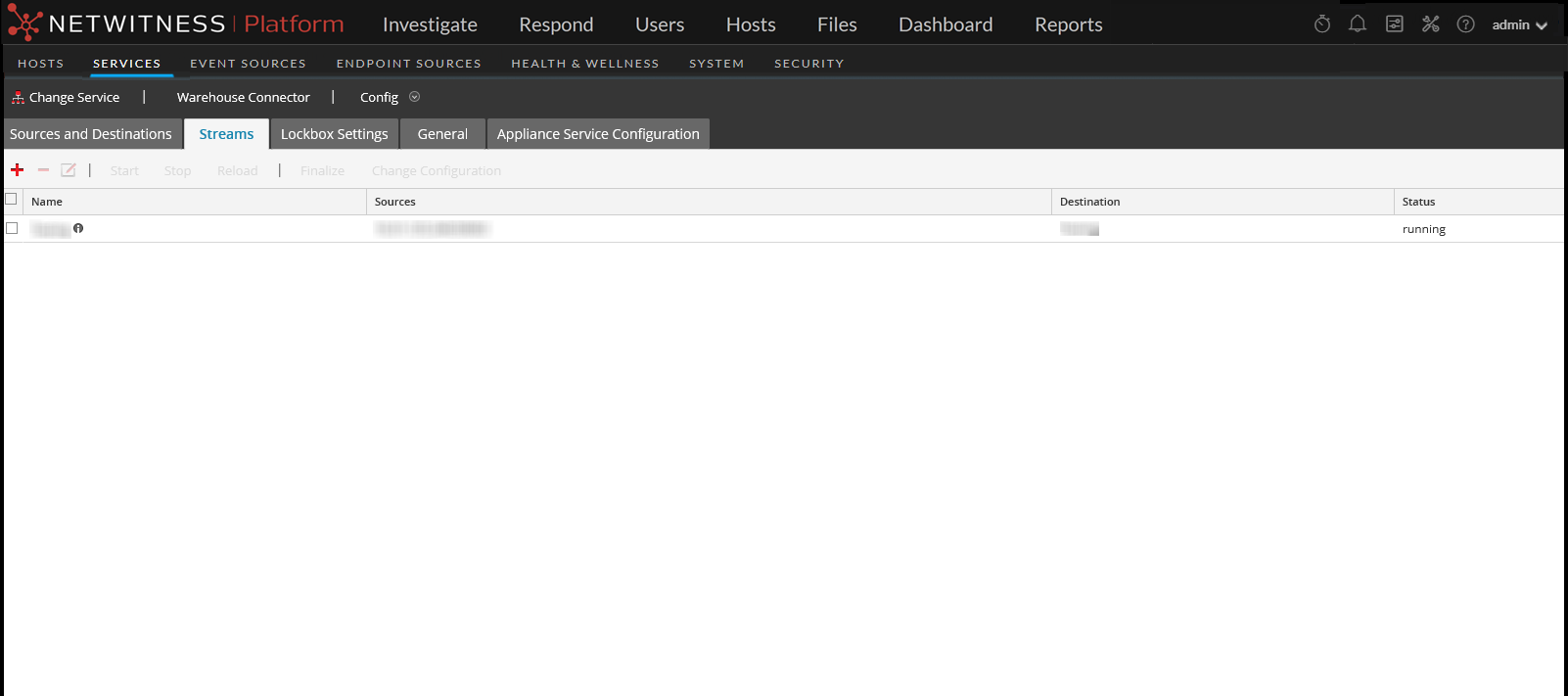
4. On the **Streams** tab, click .
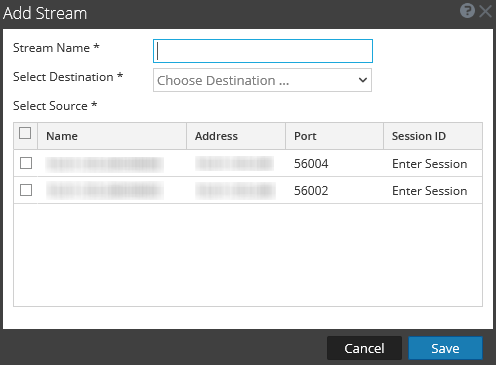
5. In the **Add Stream** dialog, perform the following steps:
1. In the **Stream Name** field, enter a name for the stream.
**Note:** The **Stream Name** field does not support spaces or special characters except underscore (\_).
2. In the **Select Destination** drop-down menu, select a destination from the list of destinations added to the Warehouse Connector.
3. In the **Select Source** field, select sources from the list of sources displayed.
4. In the **Session ID** column, enter the last session id.
If you provide any session id, the Warehouse Connector will start the aggregation from that session, whereas if this is left blank, the aggregation will start from the current session.
5. Click **Save**.
## Finalize a Stream
To finalize the stream:
1. Go to ** (Admin) \> Services**.
2. In the Services view, select the added Warehouse Connector service and select  **\> View \> Config**.
The Services Config view of Warehouse Connector is displayed.
3. On the **Streams** tab, select the stream that you have created.
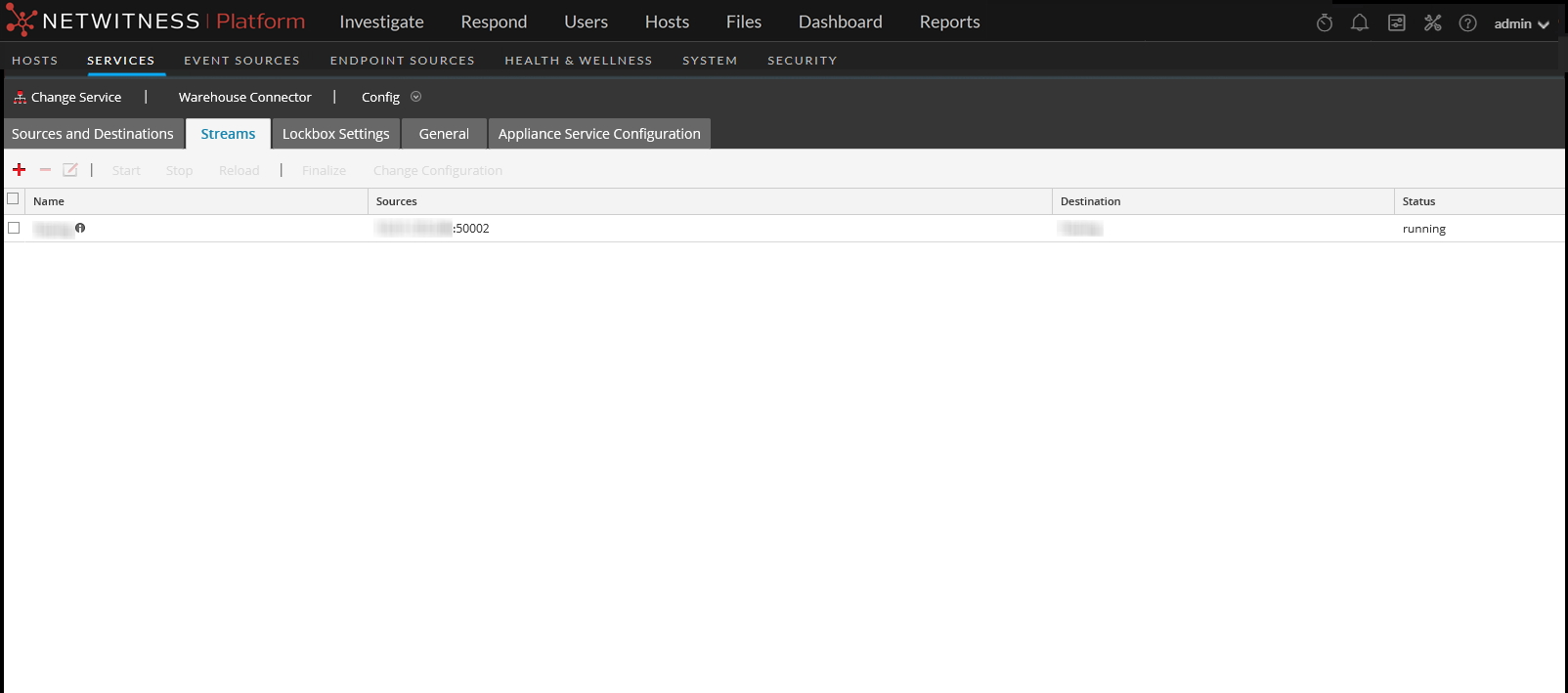
4. Click **Finalize**.
## Start a Stream
**Note:** If you have deployed a Warehouse Connector Virtual Appliance, make sure that you change the default value of the Maximum Message Hold Count parameter to 800000. For more information, see [General Tab Settings](https://50269063.hs-sites.com/knowledge-base/GeneralTabSettings?hsLang=en).
To start the stream:
1. Go to ** (Admin) \>** **Services**.
2. In the Services view, select the added Warehouse Connector service and select  **\> View \> Config**.
The Services Config view of Warehouse Connector is displayed.
3. On the **Streams** tab, select the stream that you have created.
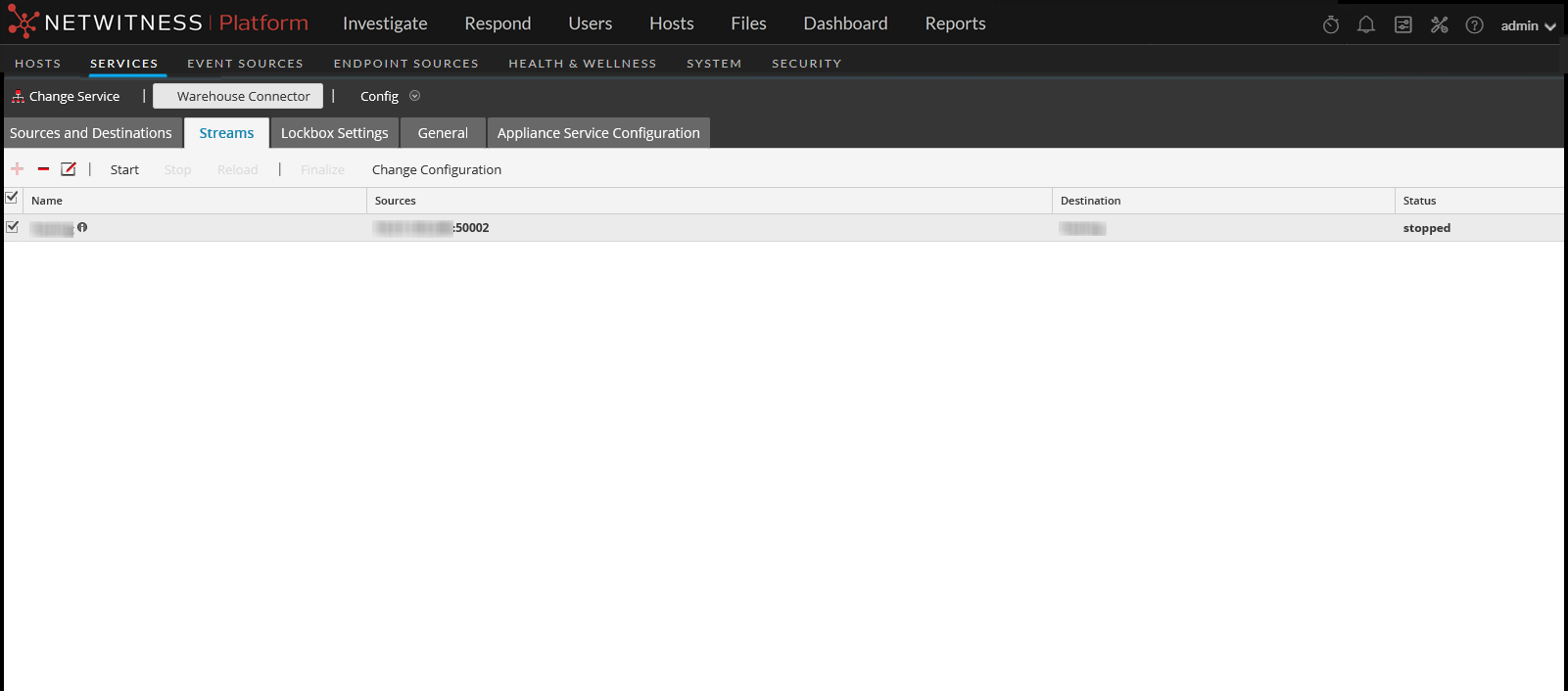
4. Click **Start**.
[](https://mydev.netwitness.com/?hsLang=en)
Copyright © 2026, NetWitness LLC. All rights reserved.
[NetWitness Platform](https://www.netwitness.com/)
[Acceptable Use Policy](https://www.netwitness.com/wp-content/uploads/Acceptable-Use-Policy-092022.pdf) [Privacy Statement](https://www.netwitness.com/wp-content/uploads/NetWitness-Privacy-Statement-07292024.pdf)

[](https://www.linkedin.com/company/netwitness-platform/) [](https://www.youtube.com/@netwitness)
© 2026 NetWitness LLC. All rights reserved.